

Shaking Down the Raspberry Pi 400

I recently got my hands on the Raspberry Pi 400, the "$70 desktop PC," and I have now had the chance to try it out for a few days. As someone who has tinkered with Raspberry Pis since the beginning, I am always excited about new products. This one is drastically different from the others. Here are my thoughts.
What is the Raspberry Pi 400?
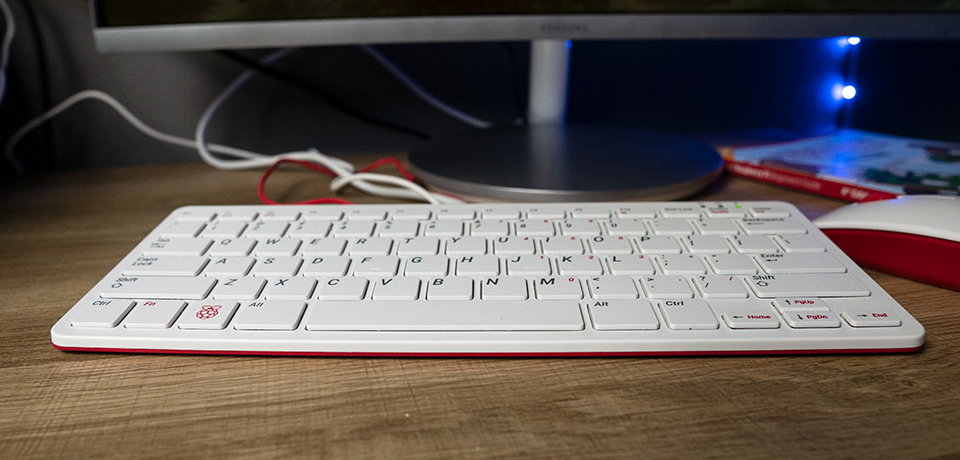
The most significant difference between the 400 and other Raspberry Pis is the form factor. Inspired by Amigas and ZX spectrums, it’s a full computer within a keyboard that you plug into a monitor (or a TV if you like).
The new form factor is a response to many people working from home and using Raspberry Pis as their home computer. It’s a complete PC in a single case, you just attach a mouse and a monitor.
The Raspberry Pi isn’t specifically geared towards tinkerers and IoT applications, but tinkerers aren’t left out.
Features
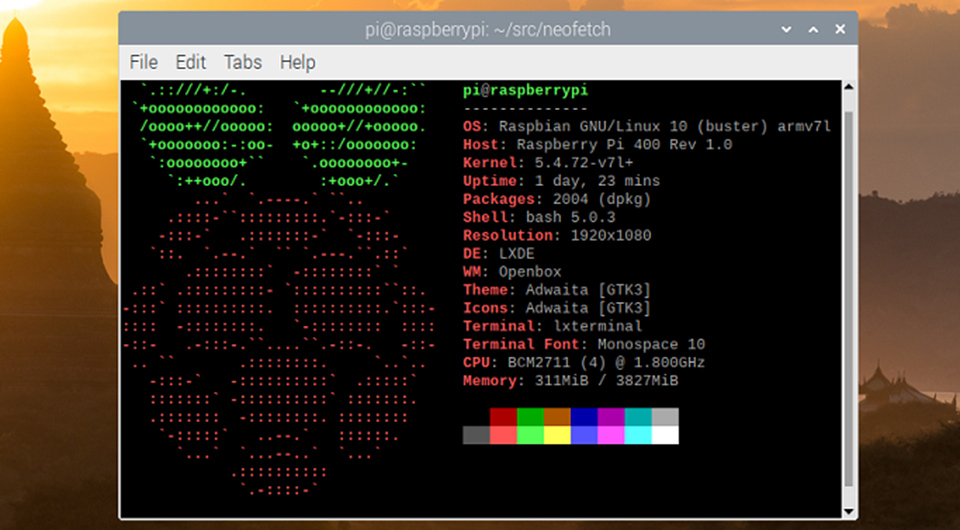
Here are some of the features of the Raspberry Pi 400:
- Broadcom BCM2711 quad-core Cortex-A72 (ARM v8) 64-bit SoC @ 1.8GHz
- 4GB LPDDR4-3200
- Dual-band (2.4GHz and 5.0GHz) IEEE 802.11b/g/n/ac wireless LAN
- Bluetooth 5.0, BLE
- Gigabit Ethernet
- 2 × USB 3.0 and 1 × USB 2.0 ports
- Horizontal 40-pin GPIO header
- 2 × micro HDMI ports (supports up to 4Kp60)
- 5V DC power (USB)
- Micro SD Slot
These hardware choices are interesting because the Raspberry Pi 4 has similar specs, but with 8GB of available RAM. The Raspberry Pi 400 only has a 4GB option. Personally, I would rather have a machine intended for desktop computing to have more RAM than a possible IoT component, but I’m sure there’s a good reason behind it.
Thankfully they’ve included the powerful BCM2711 CPU to help speed it up. It feels very responsive under normal usage.
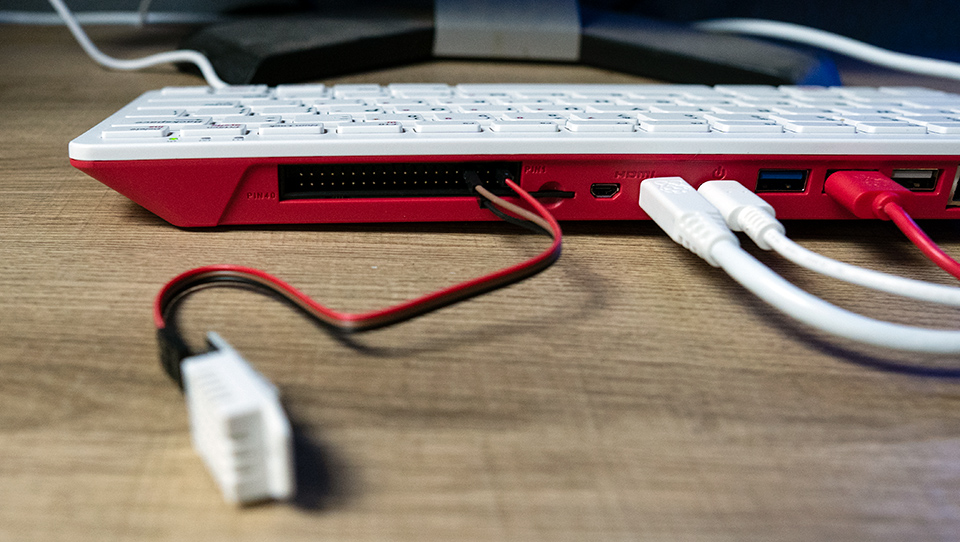
If you don’t know what a GPIO slot is, that’s OK. For casual PC use, you won’t need it. It’s a cool way to interface with hardware, sensors and other devices. I’m glad they decided to include the GPIO on this product if you want to use this as a PC and tinker with IoT stuff.
What’s the Difference?
So what’s the difference between this and other Raspberry Pis? Is it just a fancy case for a Pi?
Not exactly. The 400 isn’t just a Raspberry Pi board stuffed into a keyboard case. They redesigned the main board and spaced out the components better for heat dissipation. They’ve also added an internal heat sink to cool down the CPU.
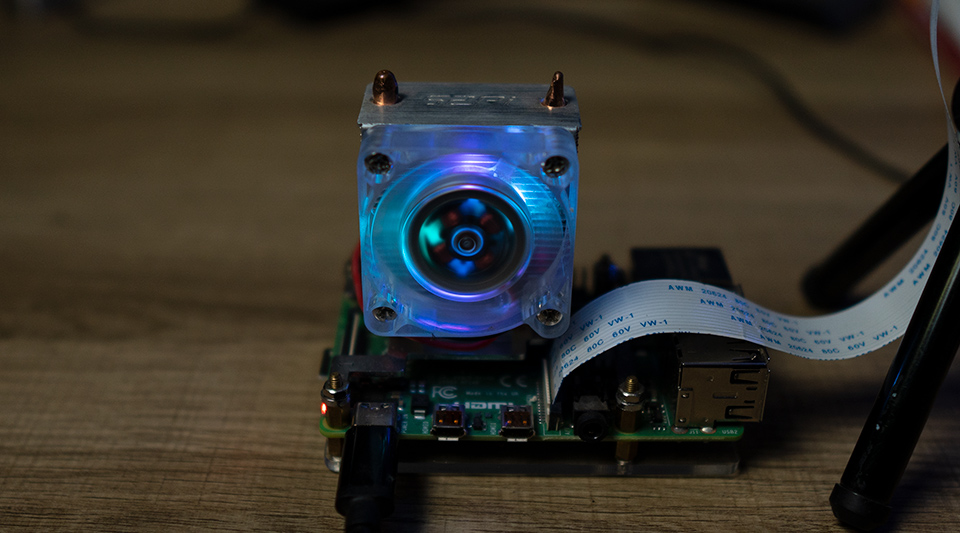
If you’ve used conventional Raspberry Pis, you know they can get hot, especially if you use a case with poor airflow. A heatsink of some type is required. The picture above shows one of my Raspberry Pis with a big heat sink for heavy processing.
I’ve been using the Raspberry Pi 400 for a few days and haven’t seen any significant heat issues. Even after compiling things and long installs, the case feels fine. They've done a great job keeping the heat down with this device.
There are other peripheral hookups to accommodate the use case of a desktop PC. The traditional Raspberry Pi 4 is better suited for IoT projects, robots, sensors and the like. The Raspberry Pi 400 is intended to be a desktop computer and is designed accordingly.
##My First Time Firing it Up
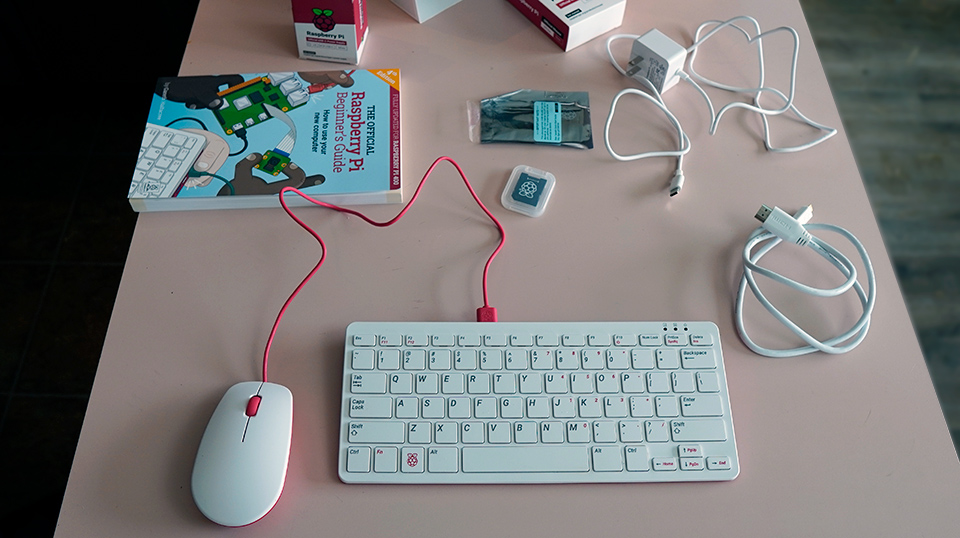
The Raspberry Pi 400 kit comes with everything you see in the picture.
- Raspberry Pi 400 Unit
- An official Raspberry Pi mouse
- Raspberry Pi power adapter
- HDMI cable
- 2 SD Cards
- The Official Raspberry Pi Beginner’s Guide
When you power it up, the 400 greets you with a login screen. You don’t need to install Raspbian Buster to the SD card or anything else. You insert the card, start it up, and start using it. It also comes with many of the GPIO libraries and development tools pre-installed.
It’s a very smooth, plug and play experience.
Of course, I had to dig in and start doing Raspberry Pi stuff with it. It behaves exactly as you’d expect if you’ve used a conventional Raspberry Pi in the past.
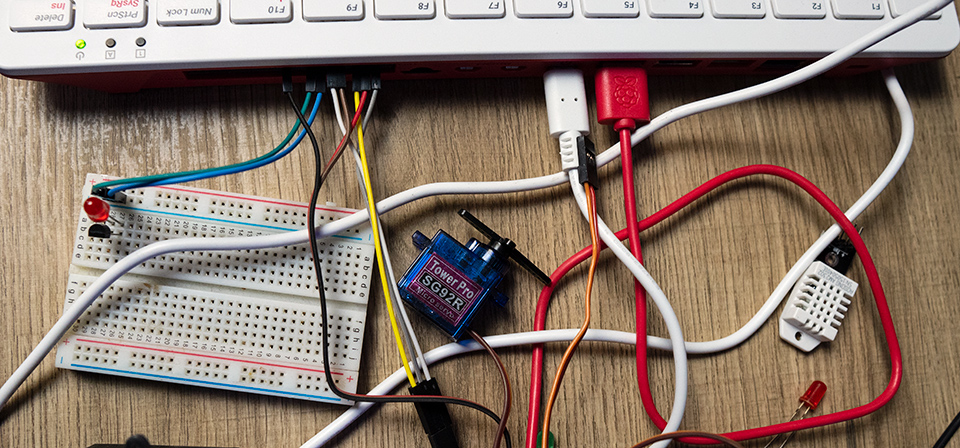
Why Would You Want a Raspberry Pi 400?
This unit is not targeted towards the traditional Raspberry Pi market, but it’s a natural evolution. IoT products like the Arduino are very use case centric. They only interpret software written for a task, like taking measurements from a sensor or controlling servos.
The Raspberry Pi performs these same tasks. However, it has a full running Linux system on the chip. You can plug in a mouse, browse the web with a Linux graphical interface. So creating a complete computer system like this is a small step. Raspberry Pi users have been doing this for years.
People who may want to try the Raspberry Pi 400:
- Someone working from home with limited desk space
- A person interested in learning Linux
- Someone learning Software Development or IoT
- Internet Cafes
- Students
Anyone who wants a cheap desktop PC will love this device. I’m very impressed with the form factor and construction. It feels sturdy, performs well, and is an excellent introduction to Linux and the Raspberry Pi Platform.
You can order a Raspberry Pi 400 here.
If you want to learn more about the Raspberry Pi, we have a course, Raspberry Pi for Developers that covers some basics. We also have a course on building a Raspberry Pi Home Server.
About the author
I'm a coder, blogger, and training architect for Kode Kloud. Follow me for content related to development and cloud.
Comments
Join the discussionNo comments yet. Be the first to comment.


